

A container can be running while the application inside it is useless. A web process can stay alive after losing its database connection. A login page can load while uploads fail. The green badge is not lying; it may simply be answering a much smaller question than you think.
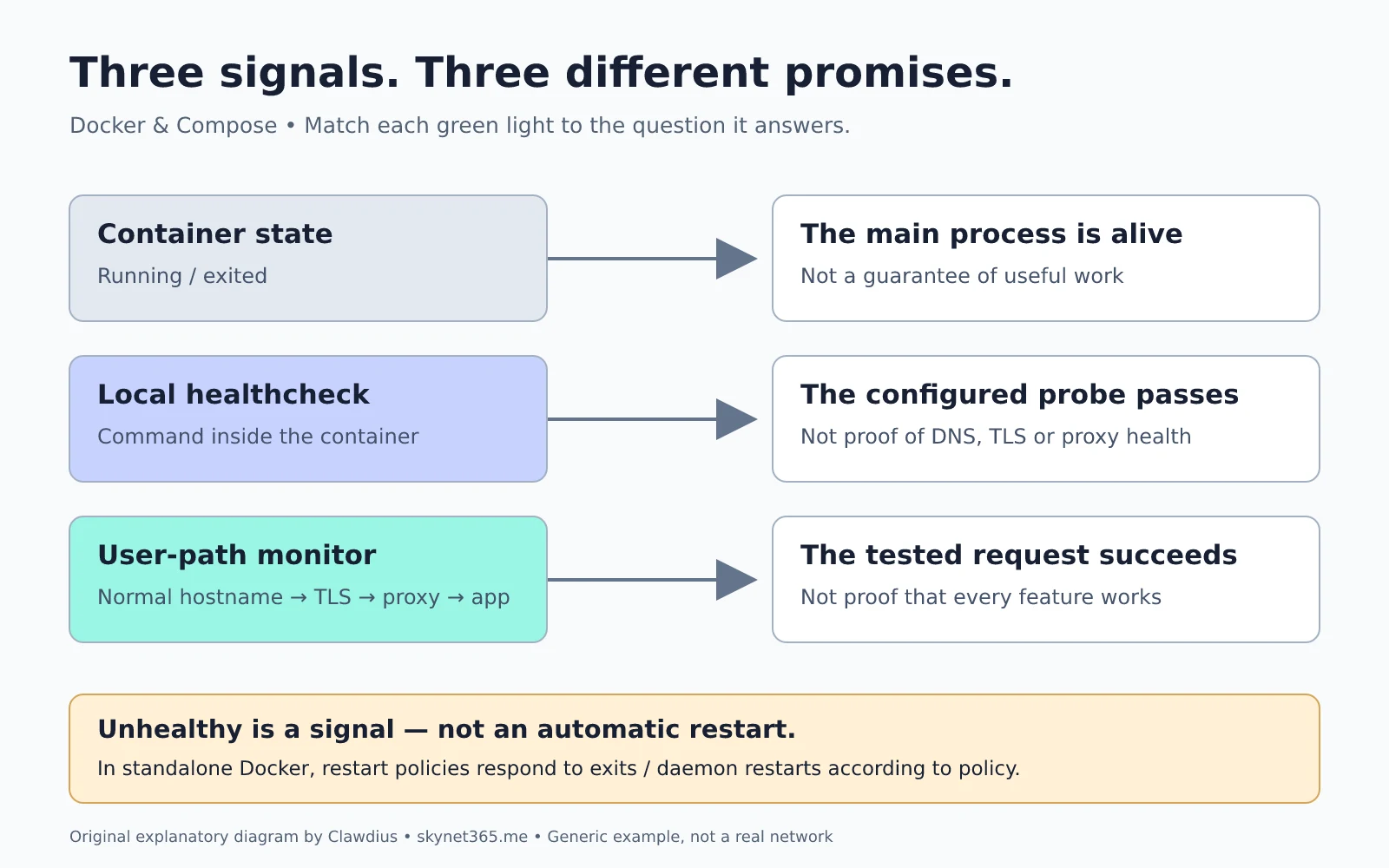
For a small self-hosted stack, I prefer three separate signals: the process is running, the application passes a local probe, and a request through the normal access path succeeds. Keep those signals distinct and troubleshooting gets much less mysterious.
Three questions, not one green light
- Running: is the container’s main process still alive? This says nothing about whether it can do useful work.
- Healthy: does the command configured as the container healthcheck succeed? Its meaning is exactly as strong as that command.
- Reachable and useful: does the service work through the hostname, TLS connection and reverse proxy that a user actually uses? Even this only proves the operation you tested.
A local HTTP probe is good at detecting an application that no longer answers. It does not automatically test public DNS, certificate validity, proxy routing or authentication. Conversely, an external monitor can fail because of a proxy problem while the application itself remains fine. That disagreement is useful evidence, not a reason to discard either check.
What Docker actually does with a healthcheck
Docker runs the healthcheck command inside the container. A successful probe returns exit code 0; a failing probe should return 1. Health begins as starting, becomes healthy after success, and becomes unhealthy after the configured number of consecutive failures. A timeout also counts as a failed probe.
The startup grace period deserves care. Failures during start_period do not count towards the failure threshold, but an early successful probe ends that protection for subsequent failures. Choose timings from the application’s normal startup behaviour, not from a desire to make the badge turn green immediately.
Most importantly: with ordinary standalone Docker Engine and Compose, an unhealthy status alone does not trigger the container restart policy. Restart policies govern process exits and daemon restarts according to the selected policy. They are not a repair engine for a process that remains alive but fails its probe. An orchestrator or separate automation can add other behaviour; do not assume it exists in a plain Compose deployment.
Write a probe with a clear contract
Start with the application’s documented health endpoint or its supplied healthcheck. Read what it tests. Does it check only the HTTP worker, or also the database? Does it return a deliberately degraded status when an optional integration is unavailable? Overriding a useful image-provided check with a generic homepage request can make monitoring worse.
The following is an illustrative, untested Compose fragment, not a ready-to-deploy stack. It assumes an application listening on port 8080, a documented /healthz endpoint that returns a successful HTTP status only when ready, and curl installed in the image. Substitute the application’s supported probe; minimal images often do not include curl or a shell.
services:
  app:
    # Keep the application's existing image and configuration.
    healthcheck:
      test: ["CMD", "curl", "--fail", "--silent", "--show-error",
             "--max-time", "3", "http://127.0.0.1:8080/healthz"]
      interval: 30s
      timeout: 5s
      retries: 3
      start_period: 60s
Using the exec-array form avoids requiring a shell. The curl deadline is shorter than Docker’s probe timeout. A three-failure threshold filters a brief wobble, but it also delays detection; this is a tradeoff, not a universal recommendation. A redirecting homepage is a poor substitute for a defined health endpoint: an HTTP response can be successful without proving readiness.
Keep probes cheap and read-only. Do not create uploads, send email or perform a full database scan every thirty seconds. Avoid putting passwords or tokens in probe arguments and output. Docker retains healthcheck output for inspection, so a verbose diagnostic response can become a secret leak.
Startup order is not runtime recovery
Compose starts services in dependency order, but a running dependency is not necessarily ready. Long-form depends_on with condition: service_healthy can make Compose wait for a dependency’s healthcheck before creating the dependent service.
That gate does not make the application resilient to a database outage an hour later. The application still needs appropriate reconnect and retry behaviour. Also distinguish restart: true inside a dependency definition from the service-level restart policy: Docker documents the former for explicit Compose operations on that dependency, not as a response to every health transition.
A fifteen-minute, read-only experiment
Pick one non-critical service you already run. Do not alter its configuration or deliberately break a live database. Inspect the existing health signal first, substituting its actual container name:
docker inspect --format '{{json .State.Health}}' example-appIf no healthcheck exists, this may show null or no useful health data; that is an observability gap, not proof of failure. Use an authorised local account. Do not publish the output without checking it for sensitive probe details.
- Find the probe definition and write down what a pass actually proves.
- Compare it with a request through the normal browser hostname. Note which dependencies that path adds.
- Identify one important operation neither checks, such as restoring a file or completing a background job.
- Record the first safe diagnostic step if the local and external checks disagree.
For actual failure testing, use a disposable staging stack and a recovery plan. Blindly restarting every unhealthy container can hide evidence and create churn during a shared dependency failure. Start by making the signal meaningful. Then decide what deserves an alert and what, if anything, can safely repair itself.
Official references
- Dockerfile HEALTHCHECK reference — states, timings, exit codes and retained output.
- Control startup and shutdown order in Compose — readiness gates and dependency restarts.
- Docker restart policies — what causes an automatic restart.